
Menu
Middle school students have the ability to think a little deeper while still learning some of the basics. So here is a digital activity for middle school bible class Additionally, some might have grown up in Sunday school classes. I usually have a few students learning these accounts about Jesus for the first time! A few years ago, I found myself teaching 7th-grade bible at a private Christian school. And with very little material passed on from previous teachers. Little did I know it would quickly become a favorite class of mine!
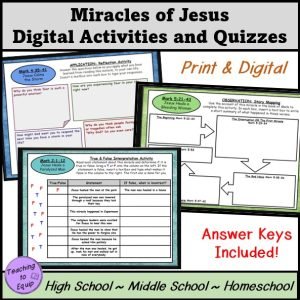
In our world today, I want to find an opportunity for my students to interact with truths in scripture while practicing their tech skills as well. Based on the Inductive Bible Study Method, there are activities for students to Observe, Interpret and Apply what they read for each biblical account. And with the added blessing of being able to be assigned digitally, I created Interactive Digital Activities. These activities required my students to complete them by spending time in scripture.
This first resource looks at the account of Jesus Healing the Paralytic from Mark 2. Click here get theses these resources! The activities can be used individually or as a packet of work – digitally or in print. I assign these five digital activities to my 7th-grade students to complete on computers in my classroom. As they finished, a few students told me from across the room, “That was fun – we should do more things like that!”.
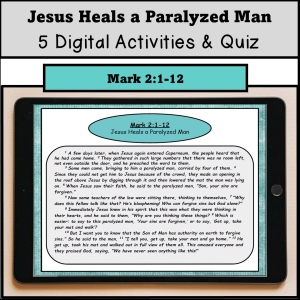
Each resource includes the scripture the activity is focused on, and then each Google Slide is a different activity for each Observation, Interpretation, and Application step.
Observation Activities: Interactive Timelines, Story Elements, etc.
Interpretation Activities: Cause & Effect Chart, True & False, etc.
Application Activities: Letter writing, Reflection questions, etc.
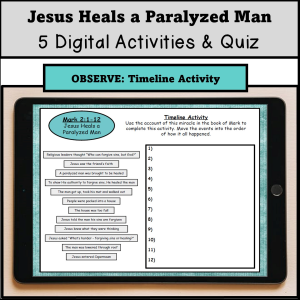
We use Google Classroom. So I usually post the assignment there for students to complete in class. These assignments also worked well when we were doing virtual school or for an absent student to complete from home. If you don’t use Google Classroom, you can also send the link to each of your students to complete.
In addition to these activities, I also created a simple quiz using a Google Form. This works great because they are self-grading. So all I have to do is assign the quiz and check the results – no actual grading required! The quiz is included in the digital (or print resource) – click here to see even more!
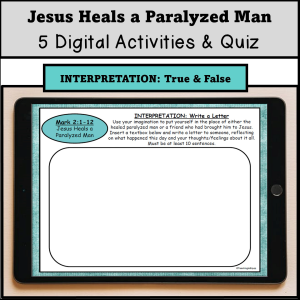
This quiz can be used as a pre-assessment to know what knowledge your students already have about this miracle of Jesus or as a formative/summative assessment. This year, I assigned the packet of activities on one day, and then on the next, my students took the quiz to see how much information they retained. Impressively, they all did very well!
I’m excited to create more of these activities, be sure to check out the Teaching to Equip store for all the resources you might be looking for.
Remember His grace for you as Teaching to Equip our students is hard, but holy work!
– Jamie

Hi! My name is Jamie. I have a degree in Bible & Theology and Youth Ministry and a Masters in Teaching.
I’ve worked with middle & high school students since 2002, and enjoy my iced coffee with a little white chocolate!